
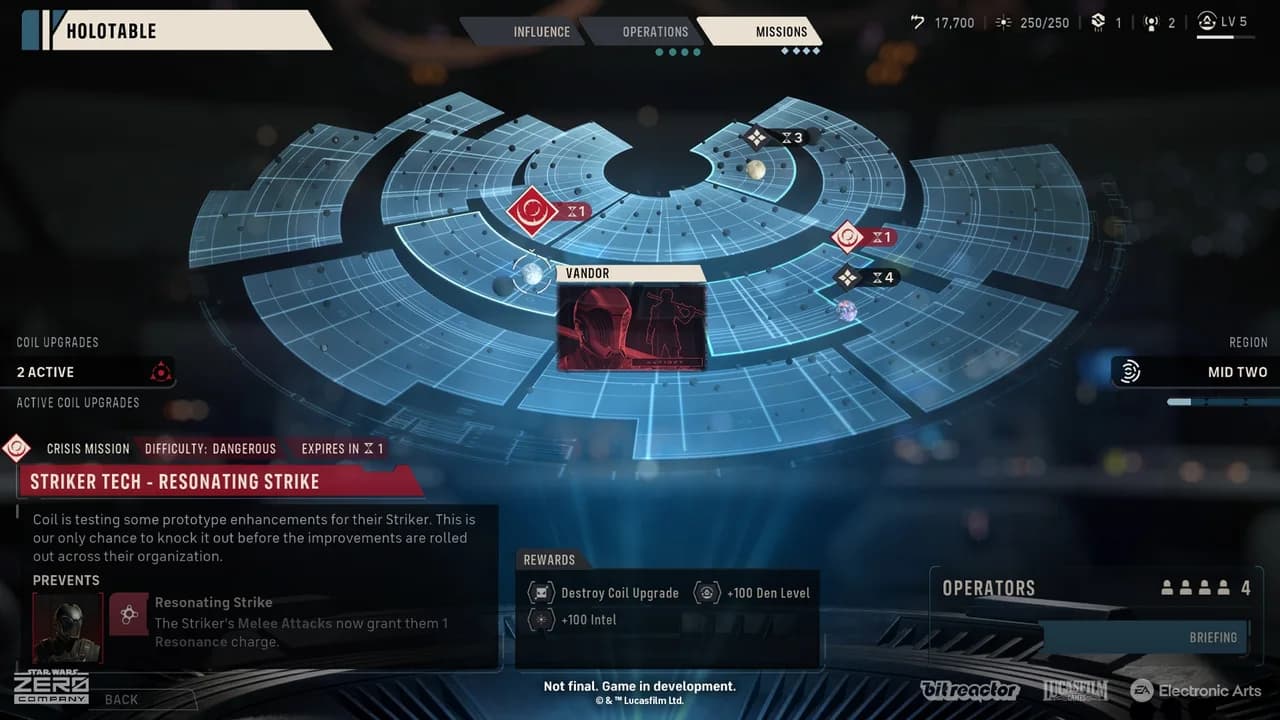
The strategic map in STAR WARS Zero Company contains more than 150 planets, but that is not a promise of 150 unique tactical battle maps. EA separately describes combat locations on over a dozen planets. The map links Operations, Tactical Missions, Intel and the campaign’s Cycle-based timeline.
Strategic planets and tactical locations
Bespin, Dantooine, Lothal and Ryloth are named examples of tactical destinations. The much larger strategic map represents the wider campaign space and its opportunities. Keep those two scales separate when deciding what the game offers.
Some story missions also allow third-person exploration before combat, potentially providing Intel or Advantage. That is not the same as unrestricted open-world exploration of every planet on the Holotable. A mission-specific exploration phase and a strategic map entry serve different purposes.
What Operations do
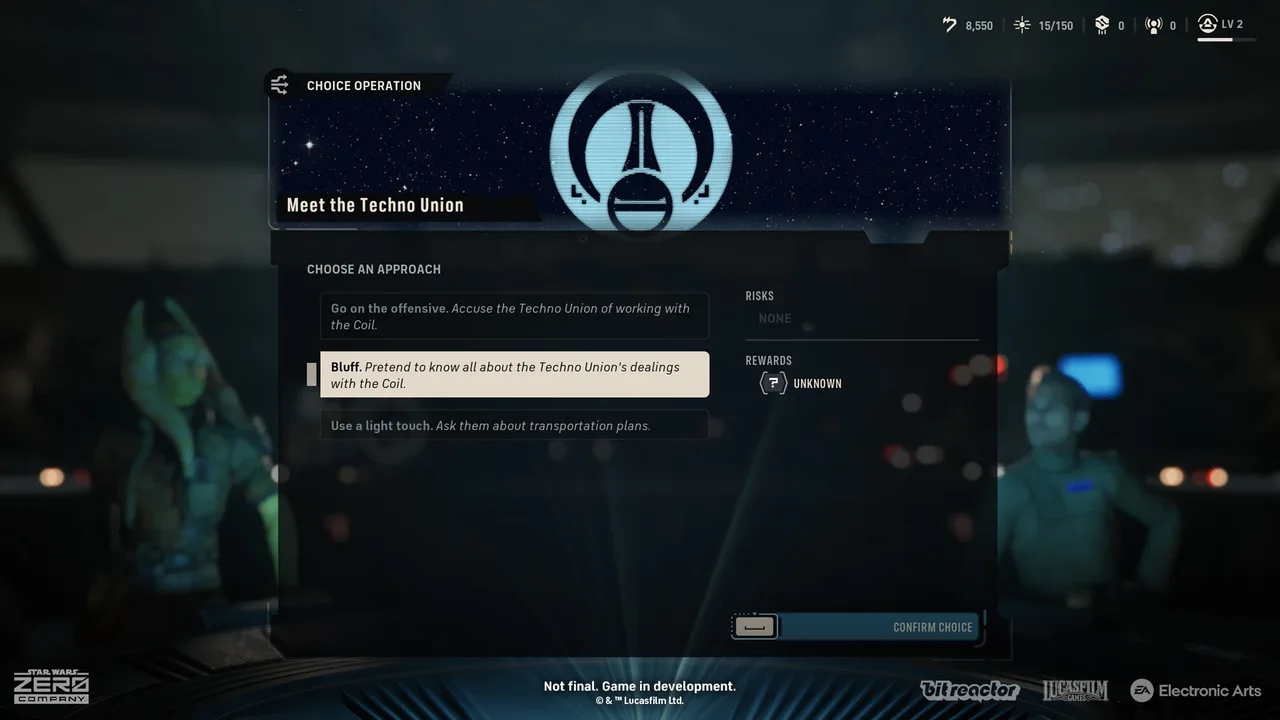
Operations spend Intel and resolve choices or rewards without the same tactical combat sequence as Tactical Missions. Their decisions can affect resources, opportunities and operator Bonds. Intel is therefore something to allocate, not simply a collectible number unrelated to the next decision.
Review an Operation’s available choices and expected outcome before committing the resource. EcksToo’s gameplay explanation emphasizes that Intel carries over rather than being a pool you should assume automatically refreshes. That observation supports checking what you will have left for another opportunity.
Tactical Missions and Cycles
Tactical Missions take the squad into combat and can reward Intel, Credits, equipment or regional influence. They also advance the Cycle. The map identifies mission risk as Risky, Dangerous or Extreme, while Critical marks missions that advance the story. Those labels describe different information: Critical is not a fourth risk tier.
Advancing time connects the map to the base. Regular medical treatment and construction take Cycles, so check both before selecting a tactical deployment. A mission is not just the next battle; it also changes when preparations at The Den can finish.
Read the objective before choosing a squad
Not every Tactical Mission requires eliminating all enemies. The displayed objective may ask the squad to reach, interact with, defend or extract instead. Build the four-operator deployment for that task: mobility can matter more than another damage role when the goal is positional, while protection and control matter when the squad must hold ground.
If a deployment fails, Restart Mission is available from the menu. Restarting the current battle is different from changing Campaign-level choices such as Permadeath or Beskar Mode, which EA Help says require a new Campaign.
Choosing your next opportunity
Use a short checklist: read the objective, risk and expiry conditions; compare the reward with the company’s needs; inspect available Intel; and confirm who can deploy. Then review conversations, recovery and construction that will interact with the next Cycle. Talking with teammates at The Den can reveal personal missions, so check the company before rushing back to the map.
This does not establish one compulsory mission order. It is a way to connect the documented systems without inventing a complete story walkthrough. For base preparation, continue to The Den; for the broad campaign premise and expected length, see story and playtime.